
Install Plugins
Instructions for installing plugins.
Download
See the Official Nabrio Plugins section for the list of available plugins and their download links.
Install in Reva
-
Navigate to Dashboard
-
Click on
Add Pluginsbutton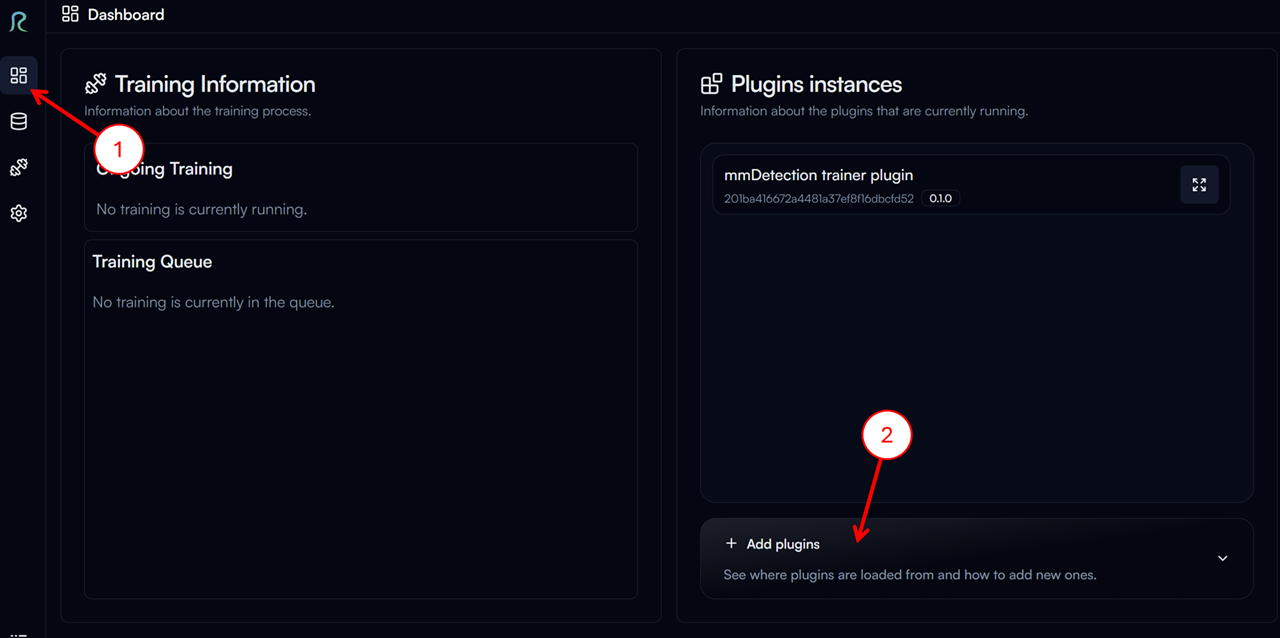
-
Click on
Copy Pathbutton to copy the path to the plugins folder. In the example image below, the path isD:\ws\reva\plugins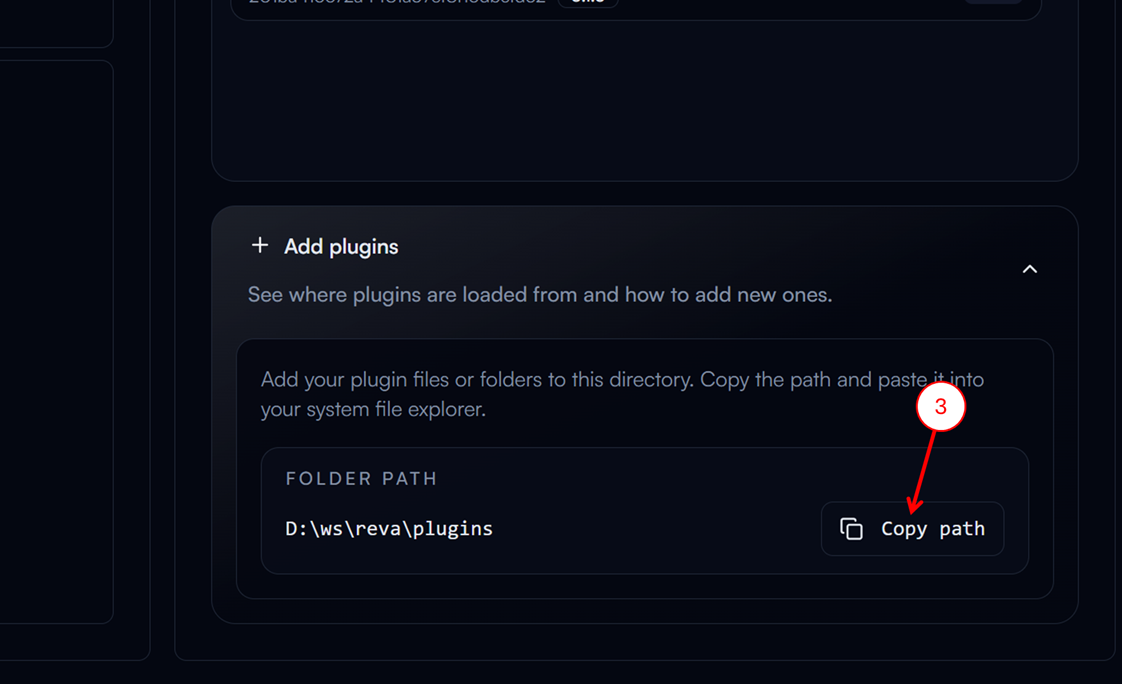
-
Paste the path in the file explorer and press
Enter -
Extract the downloaded plugin zip file to the plugins folder
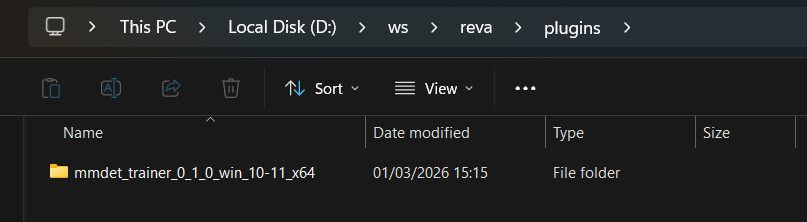
-
Restart Reva to load the new plugin