
Installation
Plugins
Instructions for installing Plugins for Reva software.
Get the Plugins
See the Official Nabrio Plugins section for the list of available plugins and their download links.
Add Plugins to Reva
-
Navigate to Dashboard
-
Click on
Add Pluginsbutton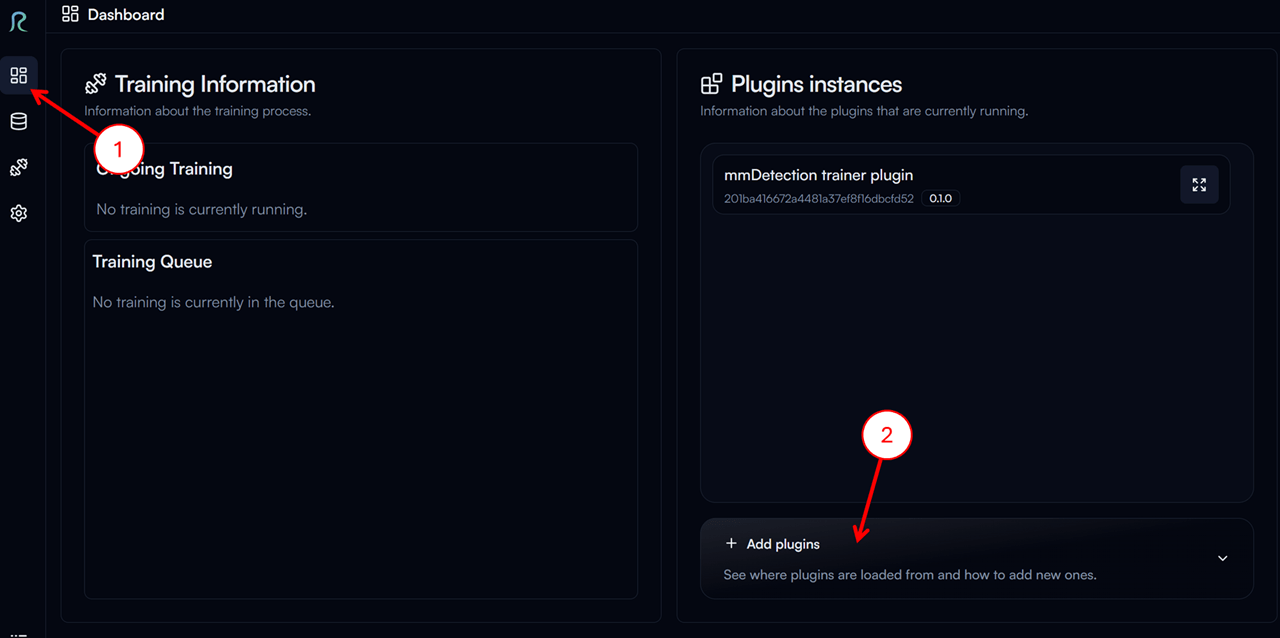
-
Click on
Copy Pathbutton to copy the path to the plugins folder. In the example image below, the path isD:\ws\reva\plugins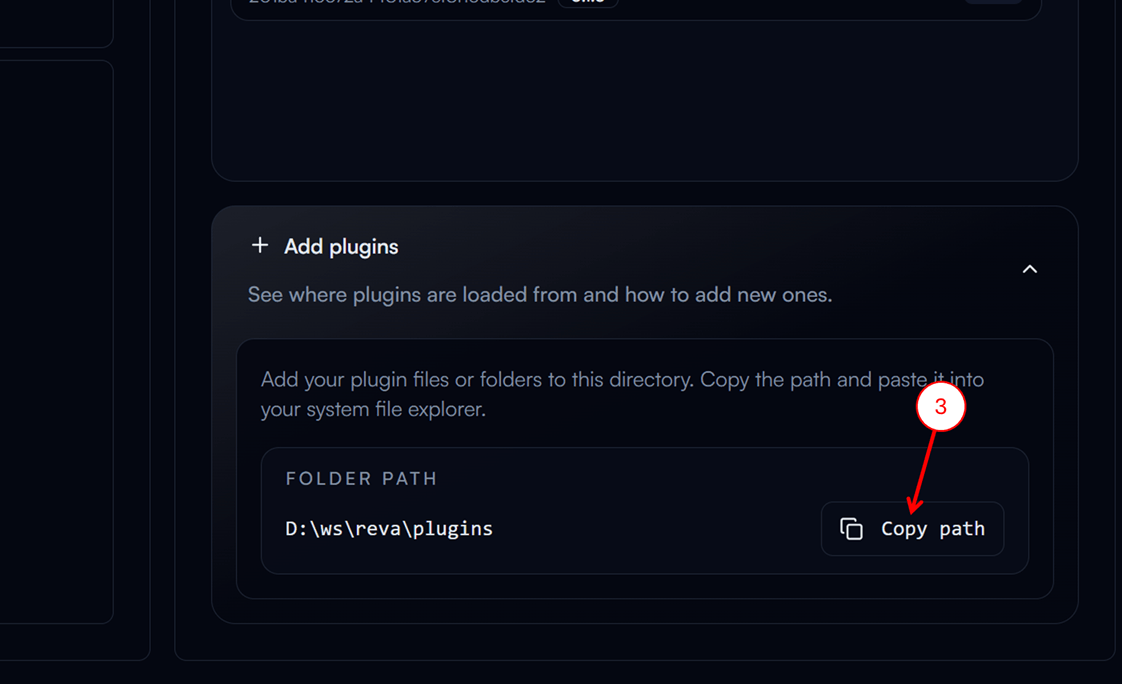
-
Paste the path in the file explorer and press
Enter -
Extract the downloaded plugin zip file to the plugins folder
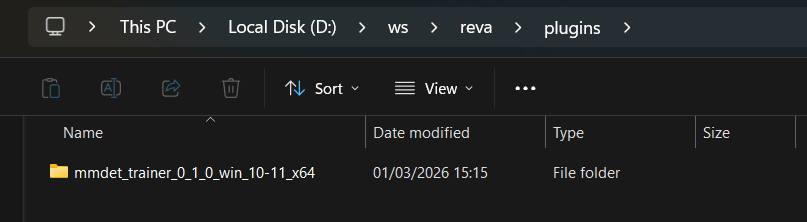
-
Restart Reva to load the new plugin