Nabrio Help
Nabrio Help

Getting Started

Nara Overview

Understanding Nara

Using Nara

Components

Common Process InputsBrightnessCircle Detection1D/2D Code ReaderColor DetectionColor ThresholdContrastMulti CropCropDetection Count ZonesFace DetectionFace RecognitionFeature MatchingFire & Smoke DetectionFlipGeneral Object DetectionImage ClassificationImage SimilarityKey Points DetectionNumber Plate ReaderObject DetectionOCRPose EstimationResizeRotateSaturationInstance SegmentationWatershed SegmentPolygon DetectionWhite Balance

Miscellaneous

Nomenclature
Troubleshooting
Notice and DisclaimerEULA
NodesProcess

Flip

Slot Usage: 0

Overview

Flip node mirrors the input image along the selected axis.

Use this node to correct camera mount orientation or to generate mirrored training data variants.

Input

Input Image

image required

The image frame to flip. Connect this to a camera or upstream processing output.

Flip Axis

integer required

Axis along which to mirror the image.

Values:

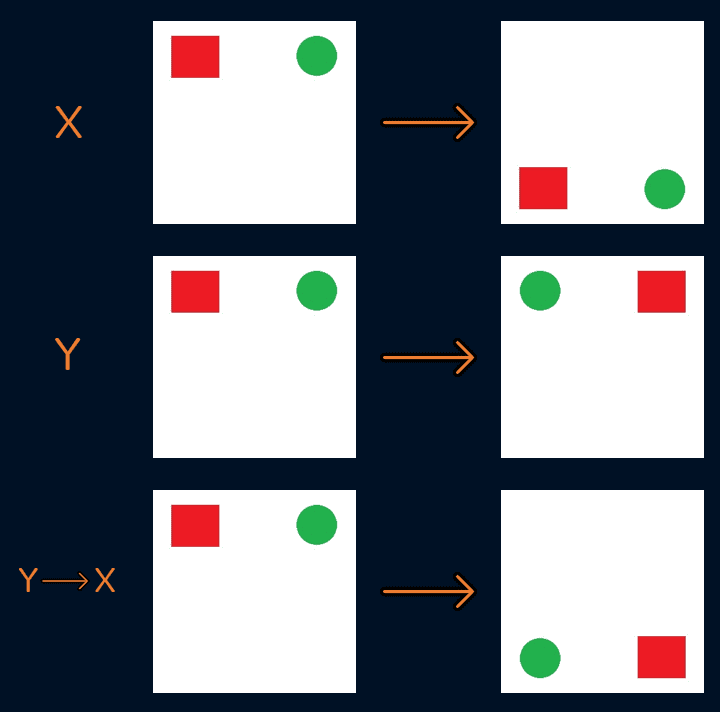
  • 0: Flip horizontally (left ↔ right)
  • 1: Flip vertically (top ↔ bottom) (default)
  • 2: Flip both axes (180° rotation)

Flip axis examples

Output

Frame Out

image

Flipped image.

Fire & Smoke Detection

Previous Page

General Object Detection

Next Page

On this page

OverviewInputInput ImageFlip AxisOutputFrame Out