
Polygon Detection
Overview
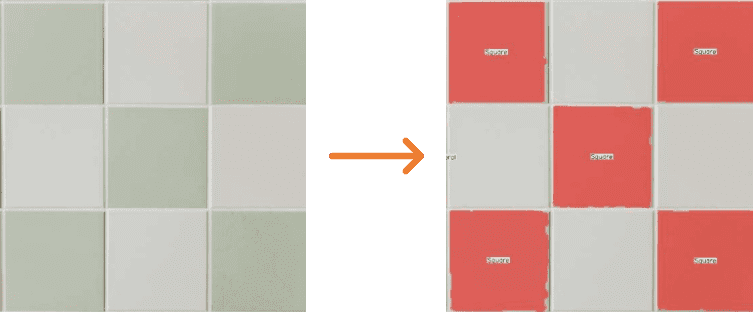
Polygon Detection node identifies geometric shapes within color-thresholded regions and returns their contours, bounding boxes, and shape labels.
Use this node to detect specific geometric shapes — for example circles, rectangles, or pentagons — in scenes where the target objects have a consistent color and a known shape type. Configure Color Thresholds to isolate the relevant regions first, then set Shape to filter for the geometric forms you want.
Input
Input Image
image requiredThe image frame to analyze. Connect this to a camera or upstream image output.
Color Thresholds
array requiredColor rules used to isolate regions before shape analysis. See Color Thresholds for configuration details.
Morphology
object requiredMorphological operations to clean the thresholded mask before shape fitting. See Morphology for details.
Shapes to detect
array requiredList of geometric shape types to detect. Only regions whose fitted polygon matches one of the listed types are included in the output.
Supported values:
circletrianglesquarerectangleotherQuadrilateralspentagon
Overlay Results
boolean requiredWhether to draw detected polygon contours and labels on the output frame. See Overlay Results.
Overlay Alpha Mask
number requiredOpacity of the filled region overlays. See Overlay Alpha Mask.
Output
Overlay Image
imageOutput frame from the node. If overlays are enabled, each detected polygon is filled and labeled with its shape type.
Detected Count
integerNumber of matching shapes detected in the current frame.
Detected Polygons
arrayArray of detection objects. Each object contains the contour boundary points, the bounding box, and the detected shape label.