Nabrio Help
Nabrio Help

Getting Started

Nara Overview

Understanding Nara

Using Nara

Components

WidgetsColor PickerDatetime PickerNumber SliderNumber InputText InputText AreaSwitchWeek Time Ranges InputRound Number GaugeBasic DisplayConsole Log ViewImage FrameXY Number ChartArray Object TableTrigger ButtonDialog Trigger

Miscellaneous

Nomenclature
Troubleshooting
Notice and DisclaimerEULA
Widgets

Widgets

Overview

Dashboard Widgets are UI components that can be added to a Dashboard page. Each widget either displays data from your flow or allows users to send input back into the flow.
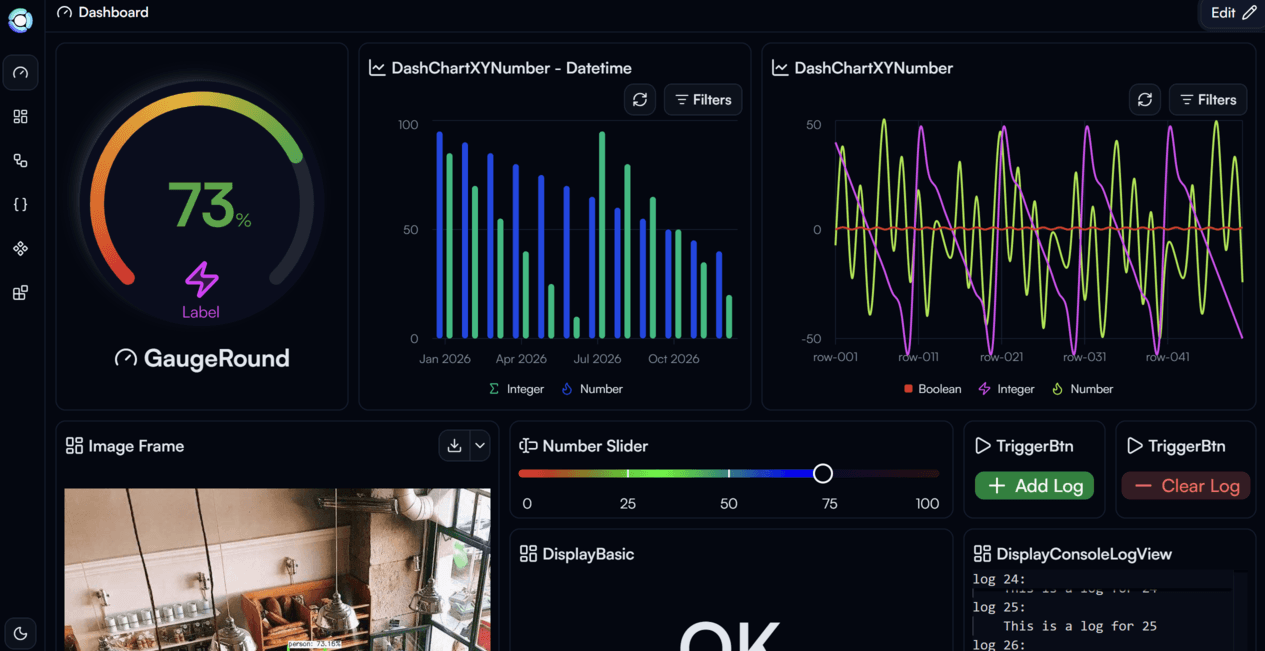
Dashboard with multiple widgets

Example Dashboard using multiple widget types together

Widgets are divided into two categories:

Input Widgets — allow users to interact with the flow by providing values:

  • Color Picker
  • Datetime Picker
  • Number Slider
  • Number Input
  • Text Input
  • Text Area
  • Switch
  • Week Time Ranges Input
  • Trigger Button
  • Dialog Trigger

Display Widgets — show data or output from your flow:
  • Round Number Gauge
  • Basic Display
  • Console Log View
  • Image Frame
  • XY Number Chart
  • Array Object Table

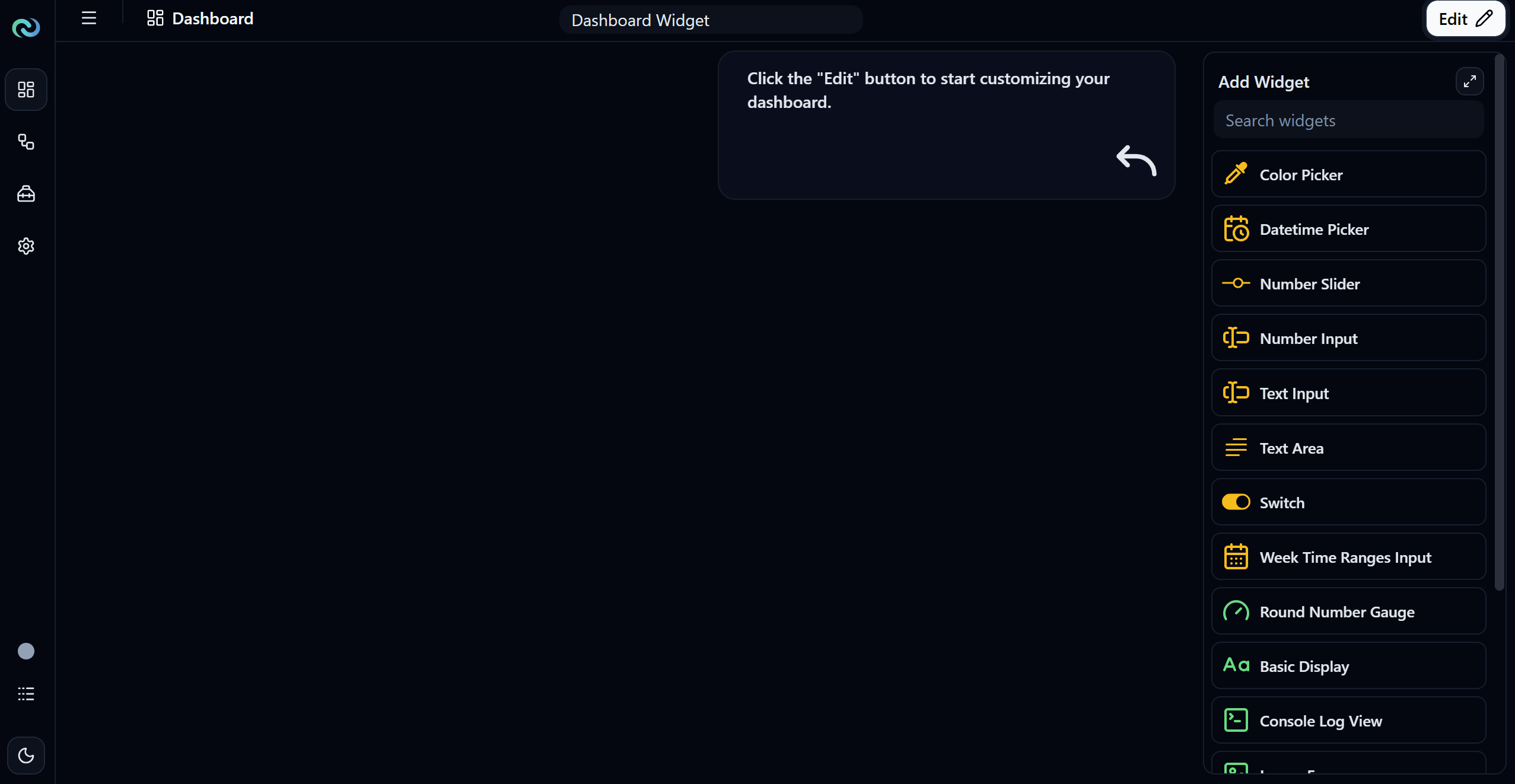
Widgets Overview

All available widgets in the Add Widget panel

Template Expression

Previous Page

Color Picker

Next Page

On this page

Overview